




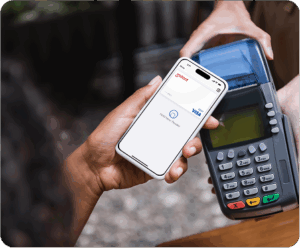

Instant Financial

Make Everyday Payday. Talk to sales.

Logo of America's 4th largest business Allied Universal

Access Your Pay After Every Shift

Allied Universal® has partnered with Instant to offer you access to your pay before pay day. You control how, when and where you get paid. 

Log in to LISA to get started. 

*You must fully unenroll from DailyPay and outstanding offers must be cleared (can take 1-2 pay periods) before you can get started with Instant.

Employee hero sec

Access Your Pay When You Need It

Allied Universal® has partnered with Instant to offer you access to your pay before pay day. You control how, when and where you get paid. 

Log into LISA to get started. 

Employee hero sec

What is Instant Pay?

Instant Pay is a benefit that lets you access up to half of your earned pay after each workday for no or low cost.

After completing your shift, you’ll receive a notification on your phone with an offer to access your pay. If you accept, the funds are instantly added to your Instant account for immediate use.

It’s your money—why wait to access it?

A Payroll Card That Cares

Switch from DailyPay and get started with Instant

**You must first unenroll from DailyPay and any outstanding DailyPay offers must be cleared from your account**

Elect Instant In LISA

In LISA, go to Direct Deposit and select Sign up for Instant. The Instant app will open in a new window.

Complete Enrollment

Follow the on-screen prompts. If you've used the Instant app previously, log in and under Jobs select Allied Universal.

Work3

Receive Your Pay

It takes approx 24 hours for your account to be configured in Allied's system. After this you'll receive your first pay on Instant.

work4

Download the App

Download the Instant Financial App so you can easily access and manage your pay.

Faster Pay to Make Life a Little Easier

Instant gives you access to half of your earned wages the day following each shift you work, giving you visibility, flexibility, and control over your money.

A New Era for Payday

Fee Free Options

Instant offers unlimited fee-free transfers via ACH transfer to your bank of choice. There is a $3.50 fee for real-time bank transfers.
A Solution for Today

Withdraw Cash at No Cost

Access your money with Instant's paycard or virtual card. You can withdraw pays from a network of 40,000+ surcharge-free ATMs.

Financial Freedom

Don't Wait For Pay Day

Instant allows you to access half of your earnings the day after your shift. You control how, when and where you get paid.

How Instant Differs from DailyPay

Your full earnings are deposited directly into your Instant account every Thursday, with any advances automatically deducted. You choose if or when to move money to your bank.

Unlike DailyPay’s automatic transfers, Instant puts you in charge of when and how you access your money, giving you more control over your cash flow.

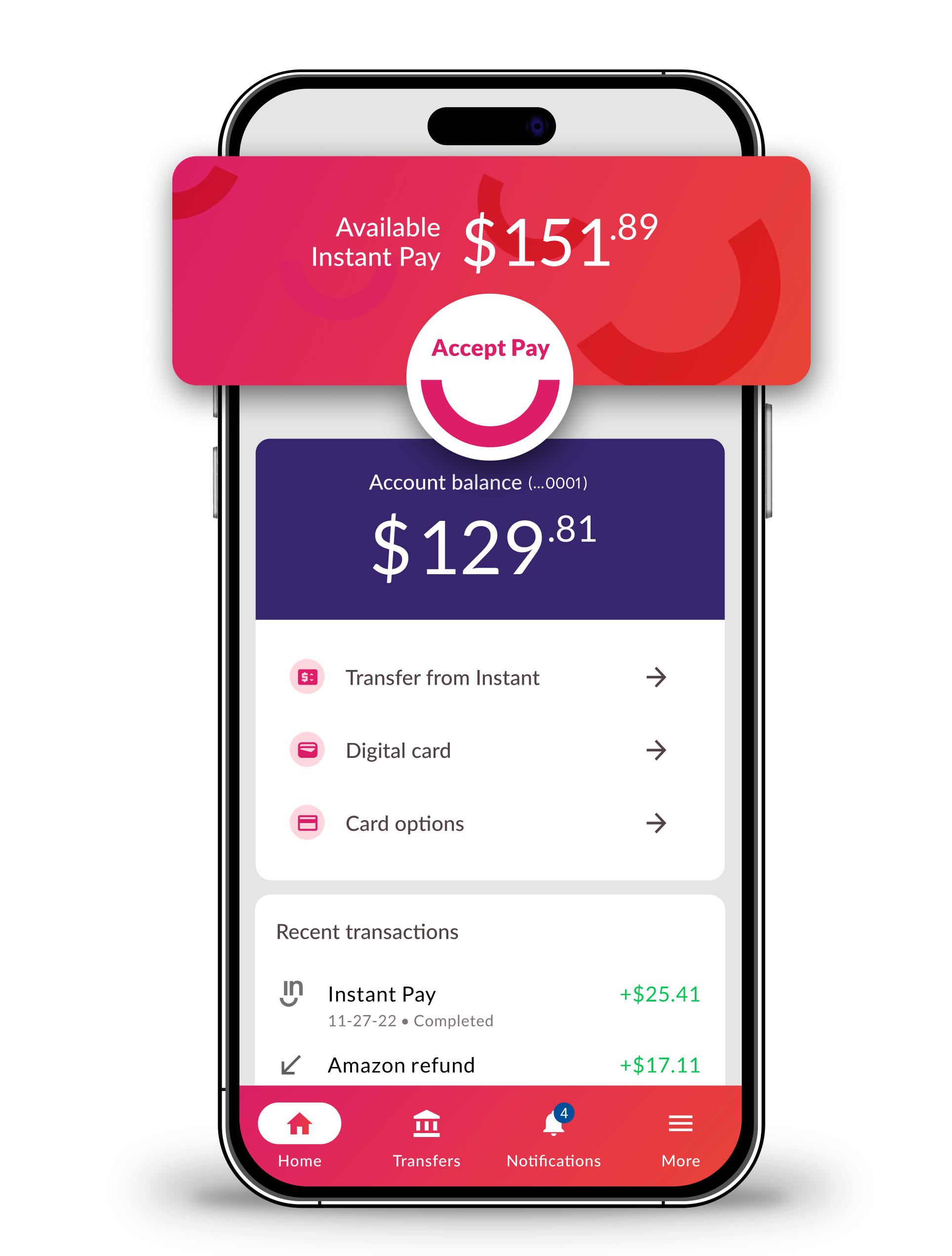
With Instant, you can access to up to 50% of your earnings (up to 6 hours of pay) at 12 PM the day following your shift. You have until 11 PM to accept an offer. If you don’t claim an offer it rolls into your regular paycheck—unlike DailyPay, earnings don’t stack up.

This responsible approach helps you balance flexibility today while preserving more of your paycheck for payday.

instant app on phone screen

Manage & Track Your Earnings with the Instant App

Get notified when your earned pay is ready.

Track your pay and spending habits.

Transfer money to your bank account.

Access your money at over 40,000 surcharge-free ATMs

Access to a suite of financial wellness tools in the app

FAQs

Questions? We’re here to help.

Allied has switched from DailyPay to Instant Financial. How do I get started?

It’s simple!  But before you can get set up with Instant, you must first fully unenroll with DailyPay and all outstanding DailyPay offers must be recovered (this usually takes 1-2 pay periods). You will receive a notification once unenrollment is complete.

To get stated with Instant, go to your LISA portal and navigate to Direct Deposit. Select Sign Up for Instant and follow the instructions on screen. 

  • For new users, complete the registration as prompted. 
  • If you have used Instant before or if you’ve previously registered in the app, sign into Instant with your existing credentials. Go to Jobs in the menu and select Allied Universal. If Allied isn’t showing, simply click Add A Job to add it.
 
You’re all set! It take approximately 24 hours for your account to be configured in Allied’s system and then you will start receiving your pay with Instant.

If you don’t see the Sign Up for Instant button on your LISA Direct Deposit screen, it is likely because your DailyPay account is still active.

Follow these steps to complete the transition:

1. Cancel DailyPay

Open your DailyPay app and:

  • Go to Settings
  • Select Account Cancellation
  • Click Cancel My Account

Note: It takes 1–2 pay periods for DailyPay to recoup outstanding funds and close your account.

2. Monitor Your Status

Check your LISA Direct Deposit screen on upcoming paydays. You have been fully unenrolled when the Sign Up for Instant button becomes visible.

3. Complete Instant Enrollment

Once that button appears:

  1. Click Sign Up for Instant.
  2. Follow the on-screen prompts to finish your setup.

It’s likely you have an outstanding balance with DailyPay that needs to be recovered before their system will release you to a new direct deposit provider.

Things that can cause this situation include: a timing mismatch between your last DailyPay offer, your payroll cycle, and your transition to Instant – you may have received early pay that hasn’t been recovered by DailyPay yet, this should resolve itself at the time of your next payroll run and then you’ll be free to sign up for Instant. 

We unfortunately can’t speed up this process, but you contact DailyPay at 1-866-432-0472 to learn what options they may be able to offer to close your account.

It can take up to 24 hours after completing your sign-up in LISA for your account to complete the process, please check back periodically if the problem persists!

Remember, you MUST choose to “Sign Up for Instant” in the Direct Deposit screen in LISA in addition to enrolling in the Instant App to begin receiving Instant Offers!

If you have completed setup but still aren’t receiving offers, follow these steps: 

1. Check Your Enrollment Status

Sign in to your Instant account and navigate to the Jobs section. Check the status listed under Allied Universal:

  • If it says Enrollment Pending, reach out to our support team at instant.co/contact for assistance.
  • If it says Enrolled, you are fully configured and ready to go!


2. Ensure Offer Eligibility

If your status is Enrolled but offers aren’t appearing, verify the following shift requirements:

  • Clocking In/Out: You must successfully clock in and out for every shift to trigger an offer.
  • Manager Approval: Ask your manager to ensure they approve your shifts daily by 10:30 AM ET.

Once your manager approves the shift by this deadline, Instant will receive the data and can extend your offer.

If you enrolled just before the end of a pay cycle, your setup may not have finalized before payroll was processed. In this case, you can expect your payroll to begin depositing into your Instant account starting with the following pay period.

Eligible employees receive an Instant Pay offer at 12 PM the day after each shift. This gives you access to half of your shift’s earnings, up to a maximum of 6 hours of pay.

If you would like to receive this pay before payday, you have until 11 PM to accept. Simply click the Instant Pay button on your app’s dashboard to have the funds immediately loaded onto your Instant account for use.

If you do not accept the offer by 11 PM, it will expire and those funds will instead be included in your regular paycheck on payday. Don’t worry—you will receive a new offer after your next workday!

Instant gives you total flexibility in how you access and use your money. Here are the most popular ways to manage your funds:

Use Your Instant Card

You can spend your balance anywhere Visa is accepted, both in-store and online.

  • Virtual Card: Get immediate access to your funds for online shopping or digital wallets.
  • Physical Card: Order a card directly through the app to be shipped to your home.


Access Cash

  • Fee-Free ATMs: Withdraw cash at no cost using any MoneyPass ATM. Use the in-app ATM locator to find the nearest fee-free location.
  • Cash Back: Receive cash back at the register with participating merchants.


Transfer Funds

If you prefer to move money to an external bank account, you have two convenient options:

  1. Standard Transfer (Free): Funds typically arrive within 1–3 business days.
  2. Real-Time Transfer ($3.50): Move your money instantly for a small flat fee.

Instant gives you full control to decide exactly when to move money to your bank by selecting Transfers in the app.

You have two convenient options:

  1. Standard Transfer (Free): Funds typically arrive within 1–3 business days.
  2. Real-Time Transfer ($3.50): Move your money instantly for a flat fee.

Open the Instant app and navigate to your Allied Universal job in the Jobs screen. Tap Unenroll from Instant, and follow the unenrollment information screens.

Instant provides around the clock support. If you require further assistance please reach out to our support team below.